
Grow Brush - A Custom Brush Toolbar for Aseprite
Grow Brush - A Custom Brush Toolbar for Aseprite
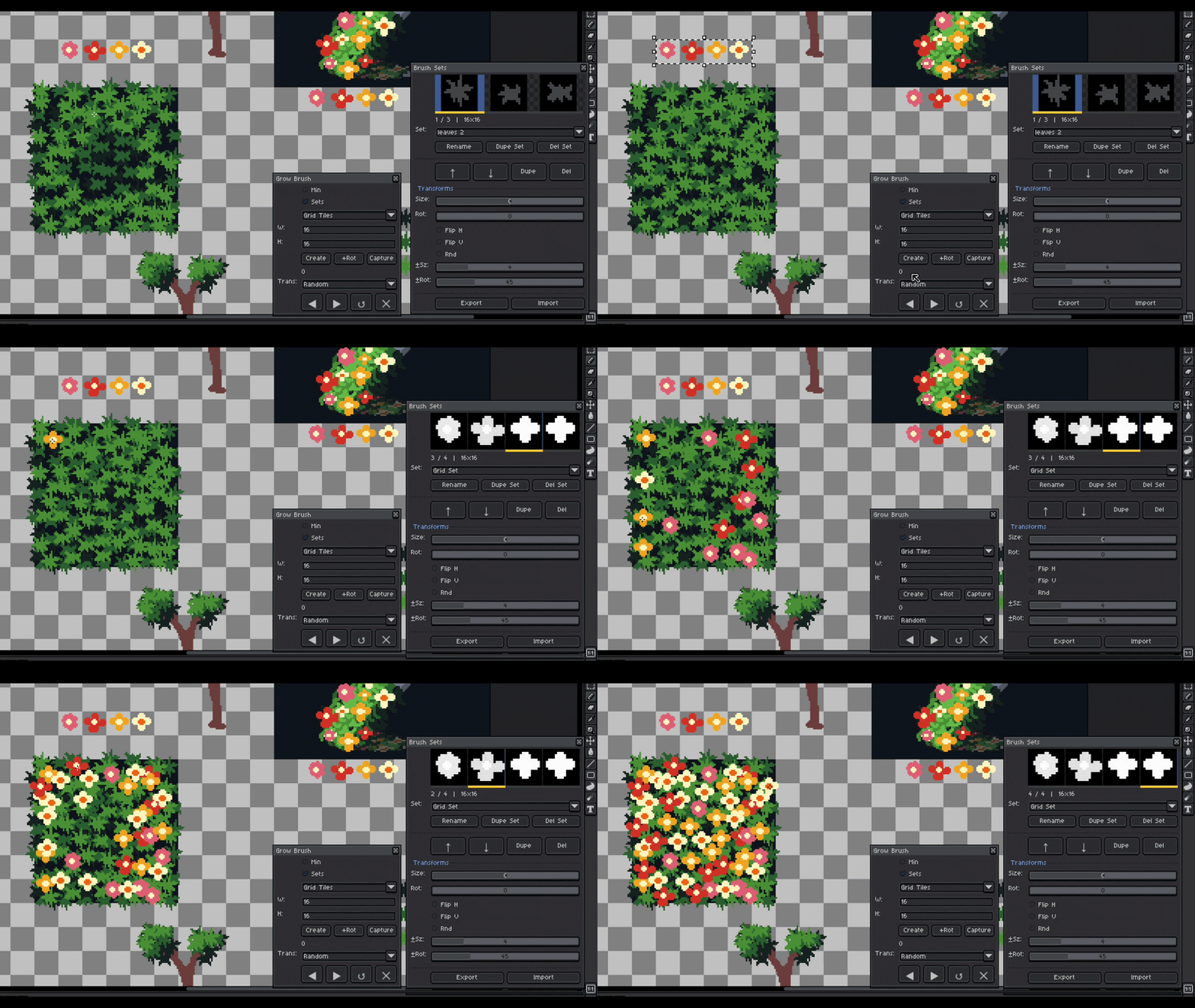
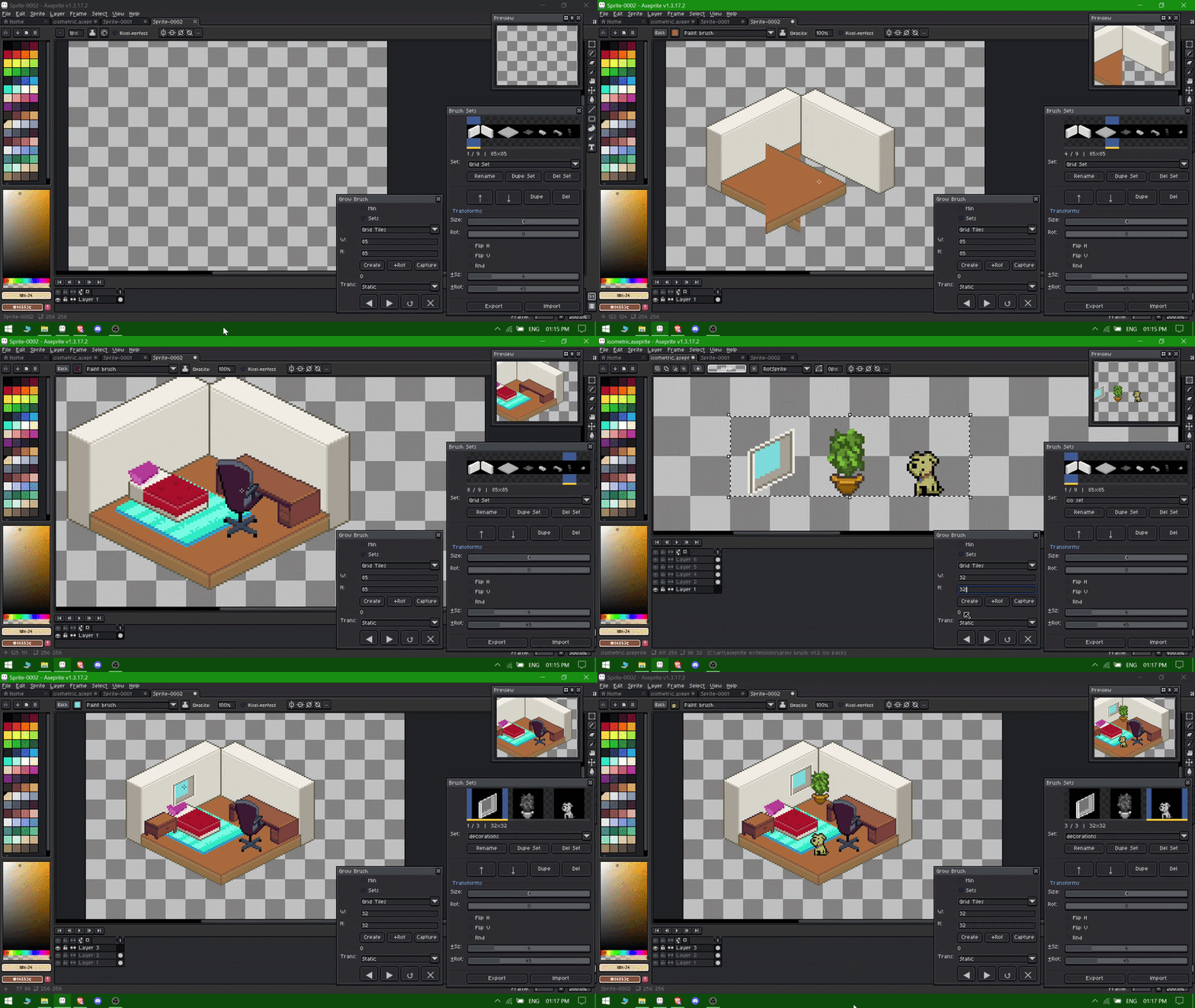
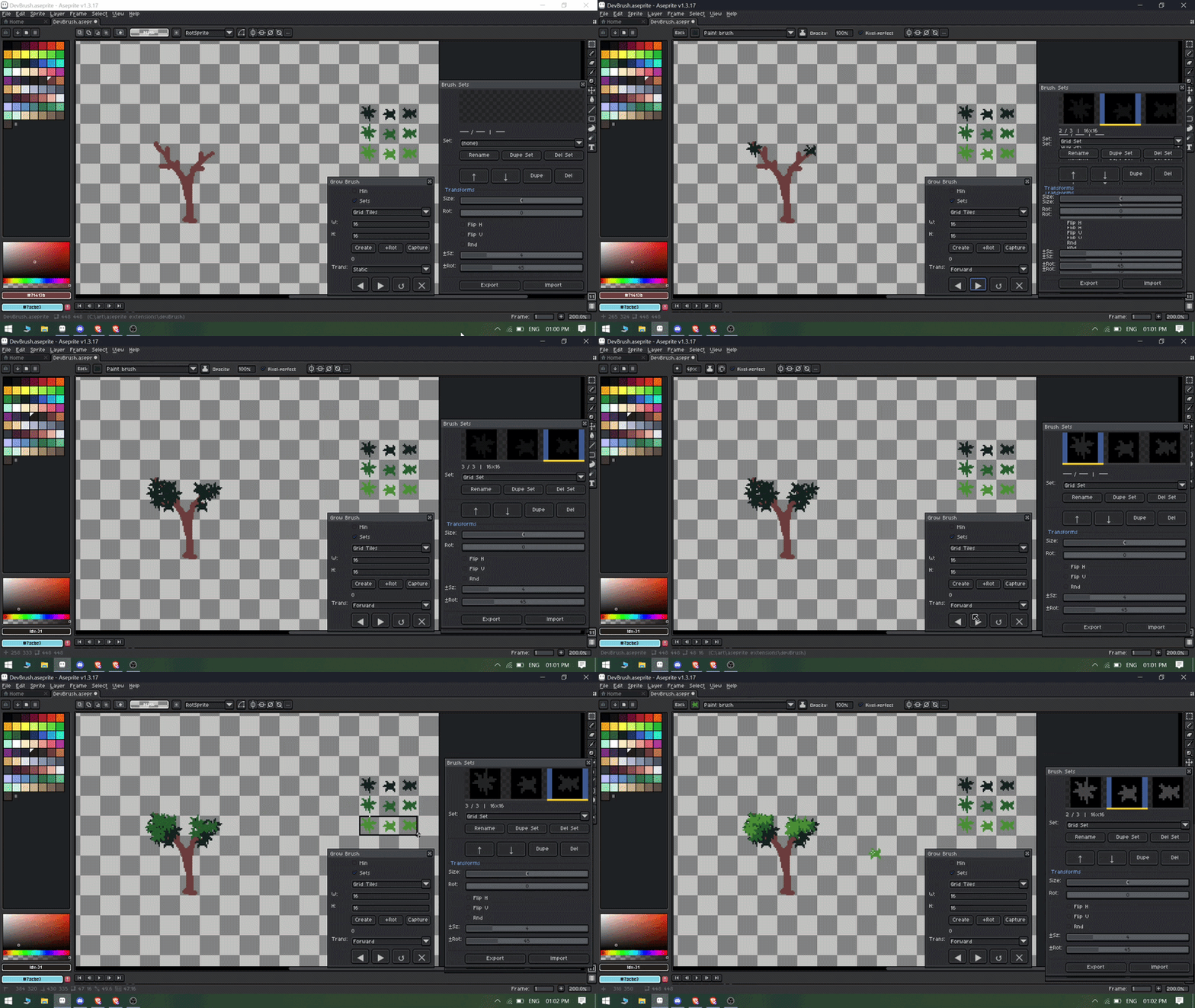
Grow Brush is a aseprite tool that helps you to organize custom brush sets , change custom brush with a single hotkey , Transform properties in single clicks.
How to Use
You can watch the full tutorial on how to use the Extension here :
- Open Grow Brush: Navigate to Edit > Grow Brush in the top menu.
- Set ShortCuts Keys: Navigate to Edit > keyboard shortcuts in the top menu.
and add shortcuts for Grow Brush > Next Brush and Grow Brush > Previous Brush. 
- Create a Brush Set: Select your preferred method
- Grid tiles
- Separate Selections
- Selected Cels
- Customize Your Brushes: Adjust size, rotation, flipping, or enable randomization.
- Start Drawing: Use your saved brushes on any active sprite file as long as the dialog is open and watch your workflow come to life!
- Change Brush: Use Default Arrow key to change the brush !
Key Features:-
1)Create Custom Multiple Brush Sets
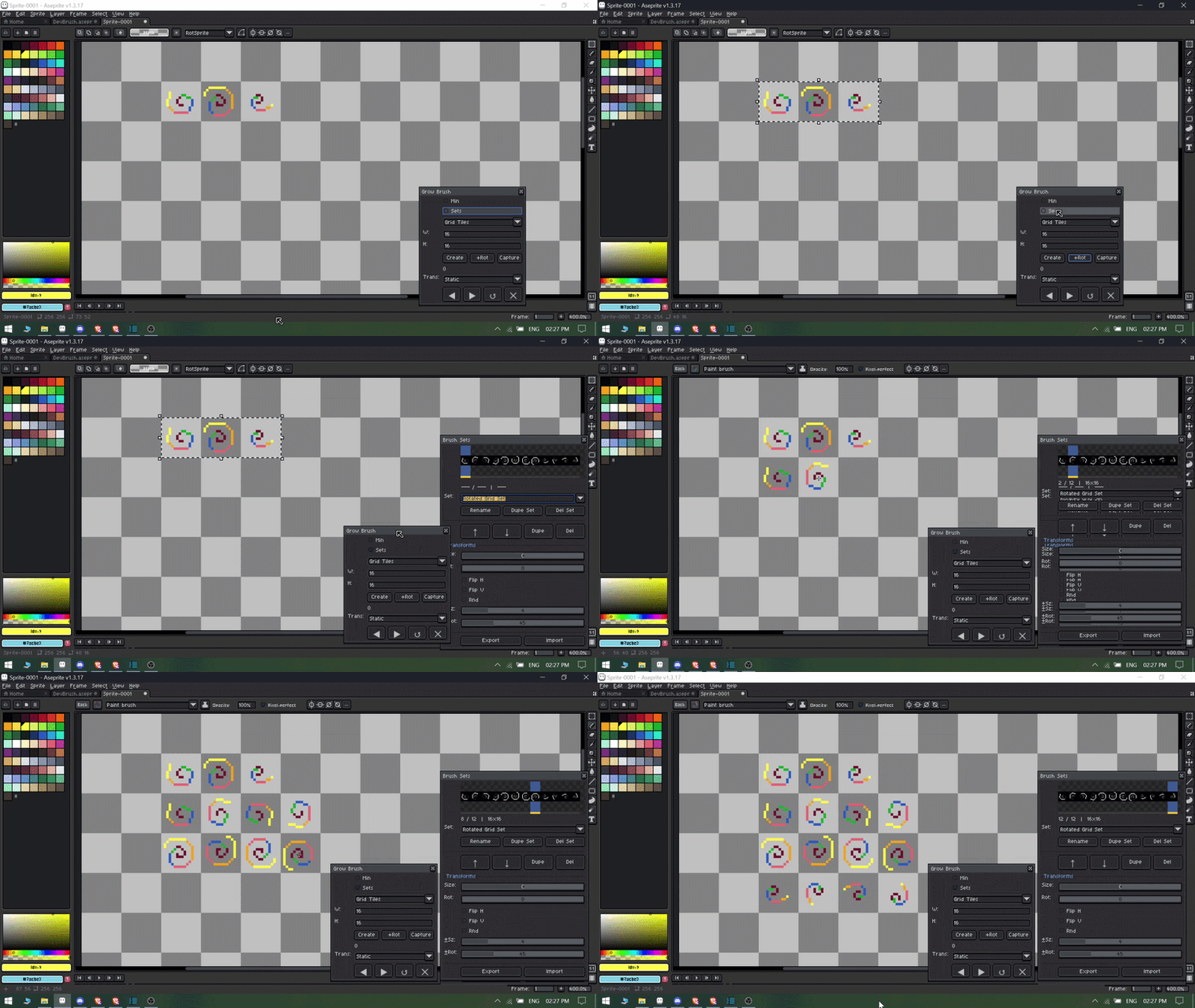
You can now create multiple brush sets by using grid tiles , selected cels , or custom selection options.
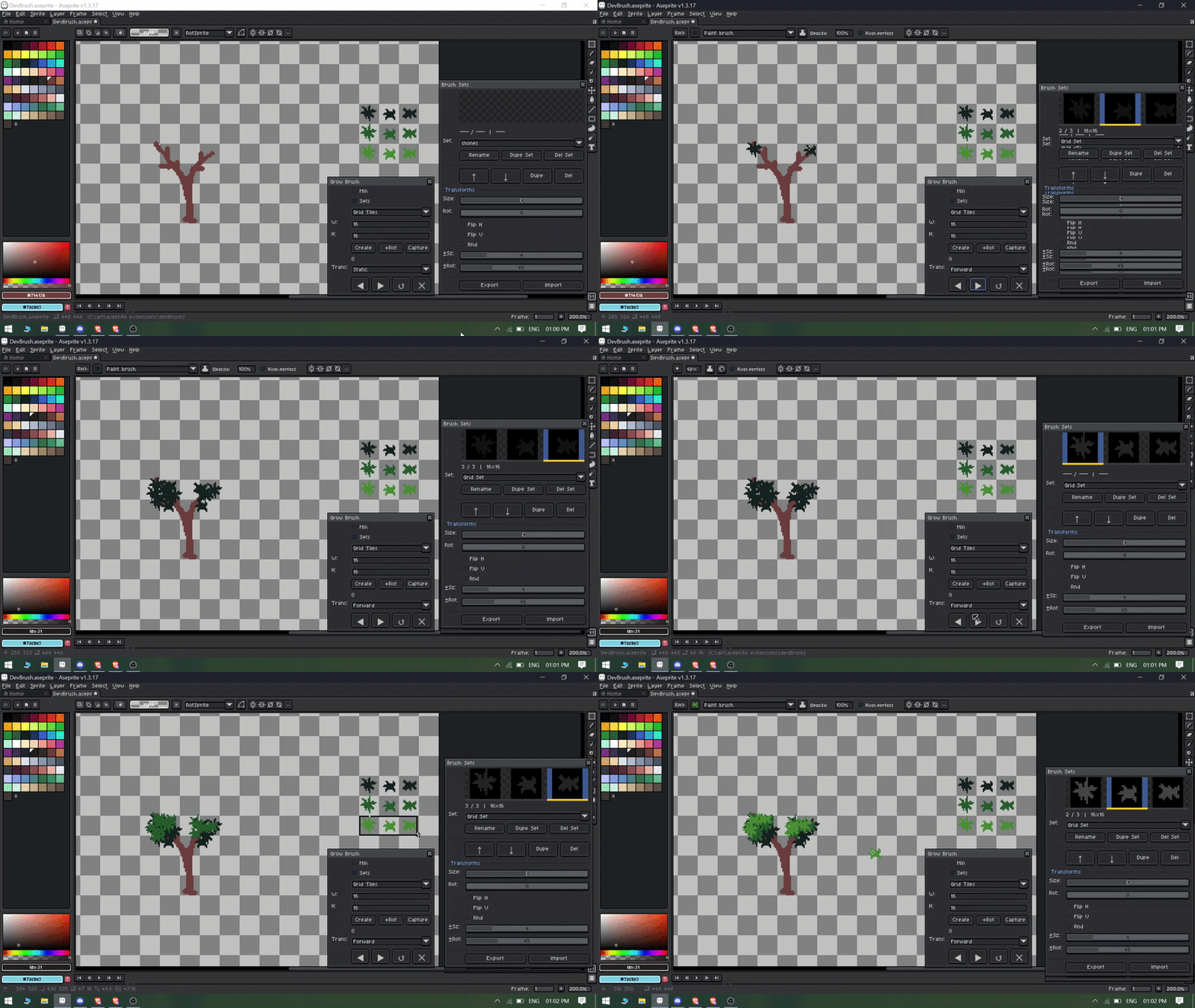
2)Change Brush in a single hotkey
You can change your brush with single shortcut keys that you can configure through keyboard shortcuts.
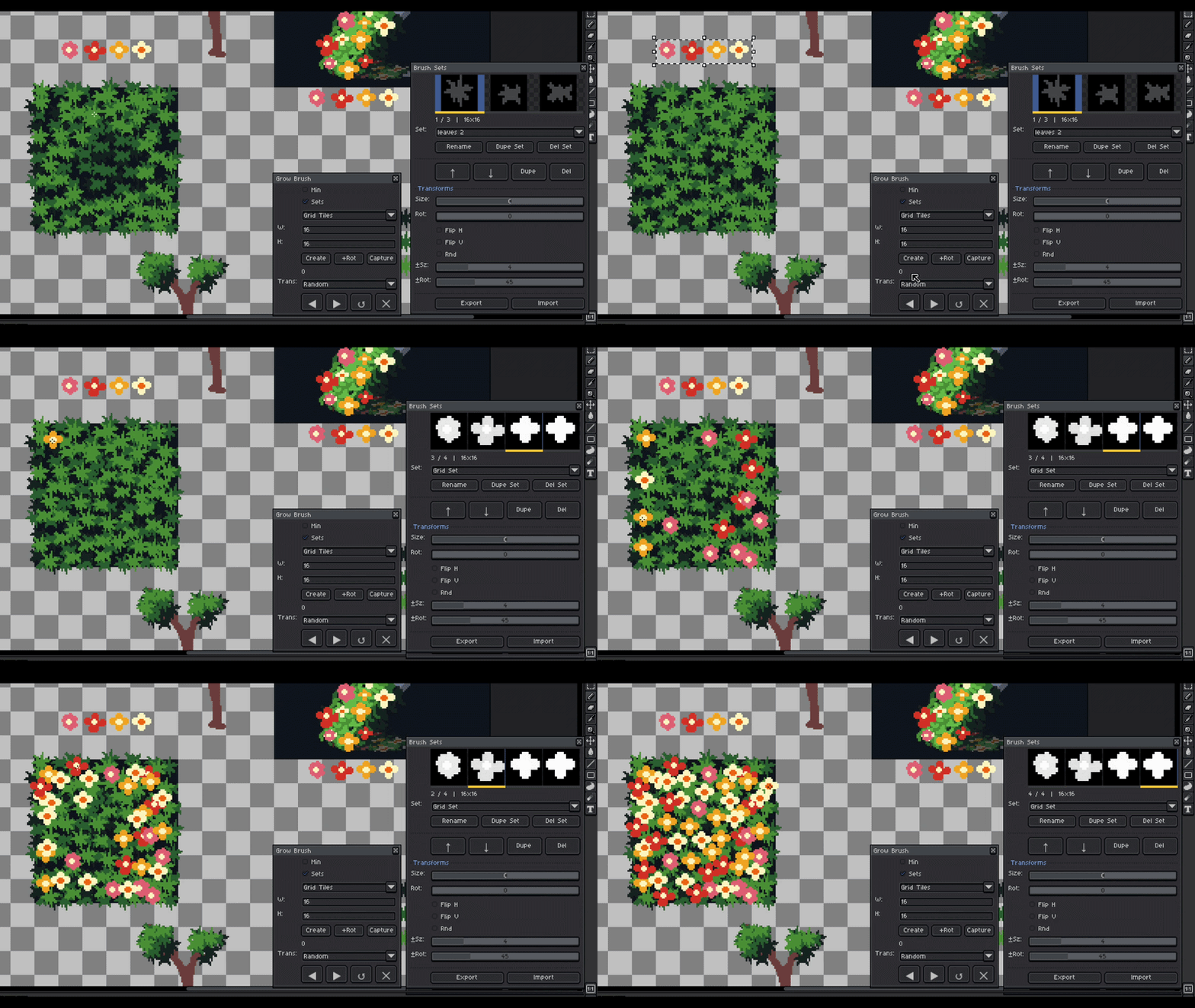
3)Change Brush Set Properties
You can change the size , rotation , flipping of the brush set in single clicks.
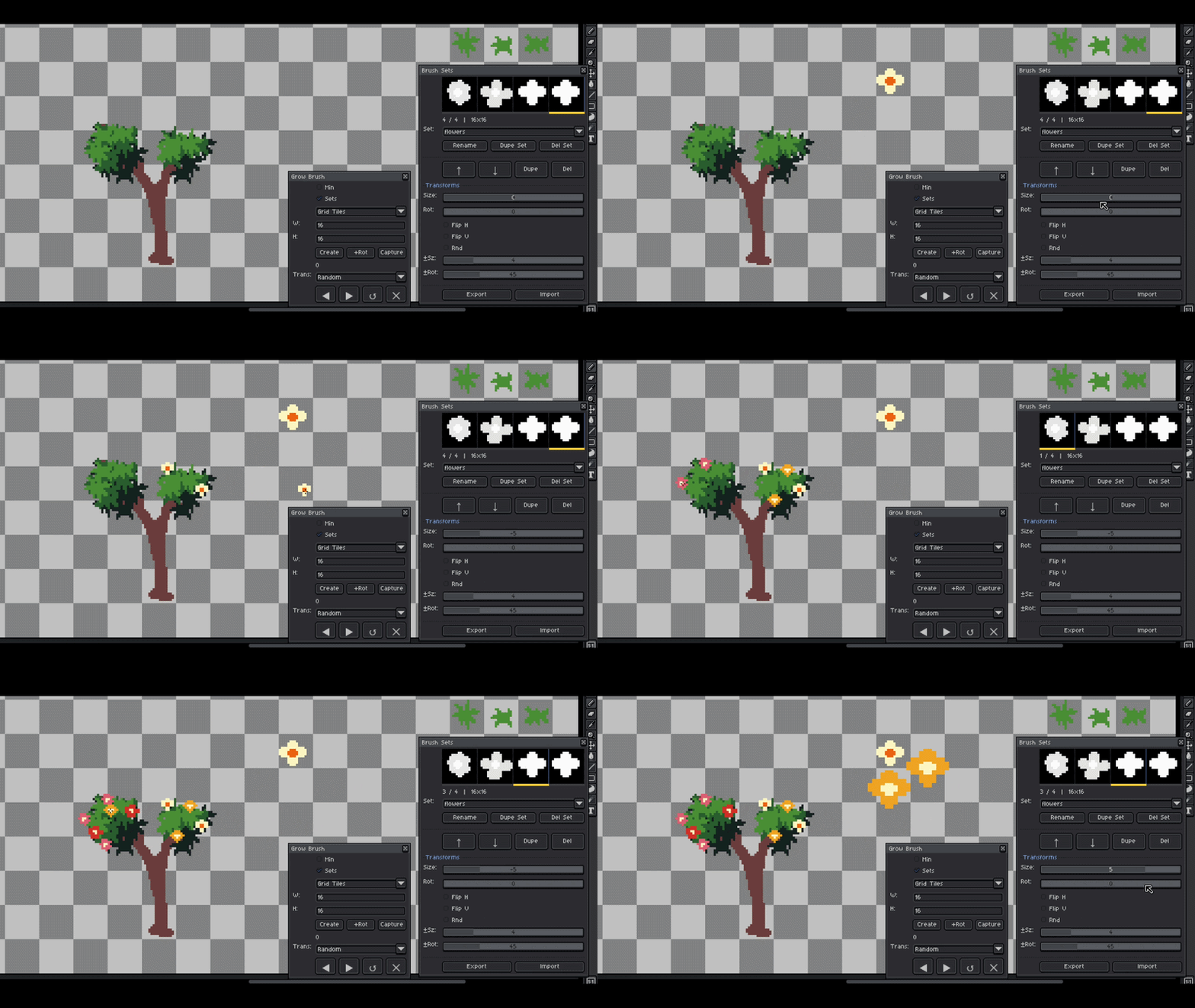
4)Transform Your Brush sets
Create different kinds of variations from a single Brush set.
5) Save and import Brush sets for future use
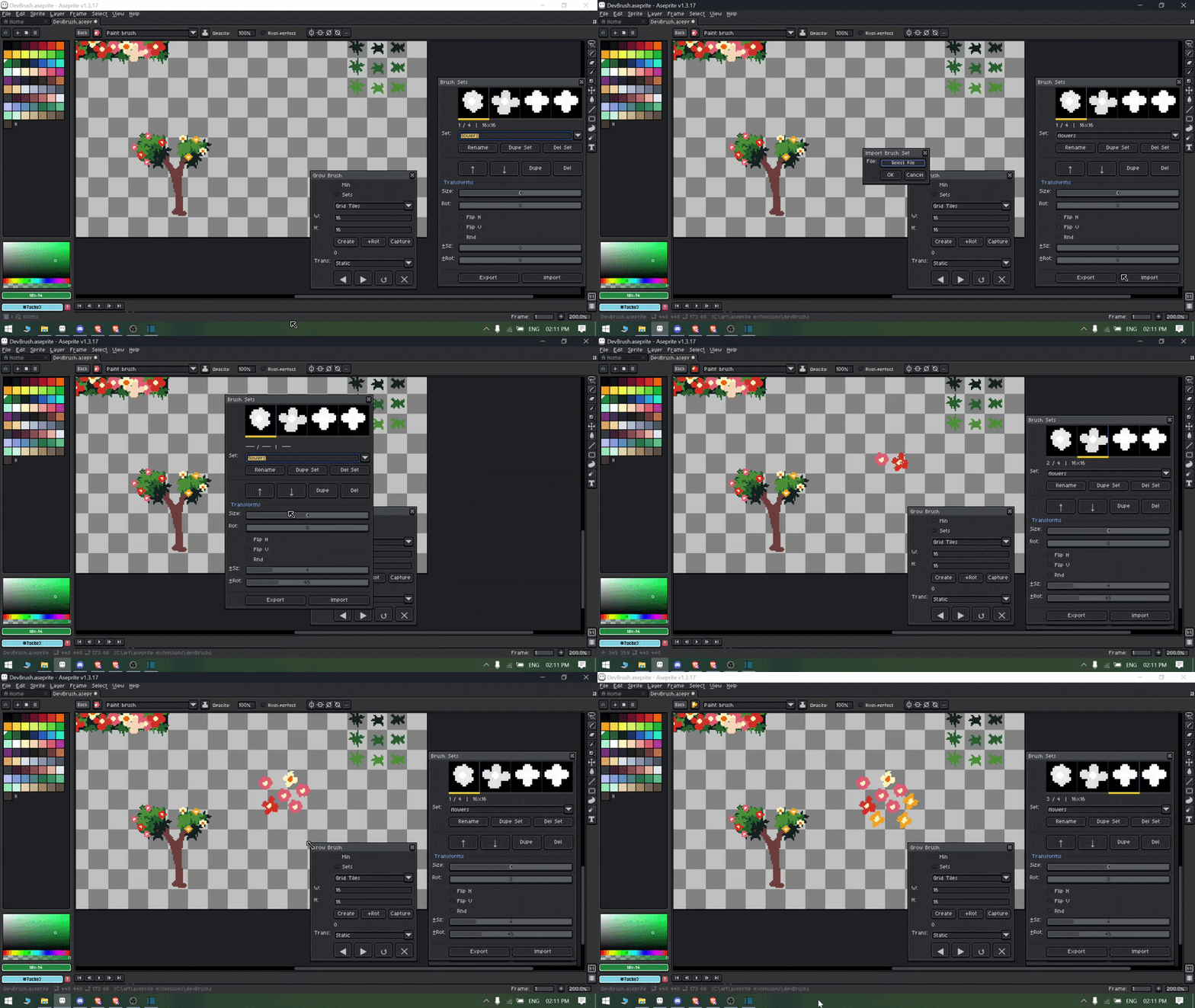
Export and import the brush sets for future use and faster access.
Note: If your aseprite project file is not saved it might give error for fail to save. So please save the file before exporting brush sets!
5) Set Custom Shortcut Key
You can set the custom hotkeys to change the next brush and prev brush.
by default they are set to arrow keys.

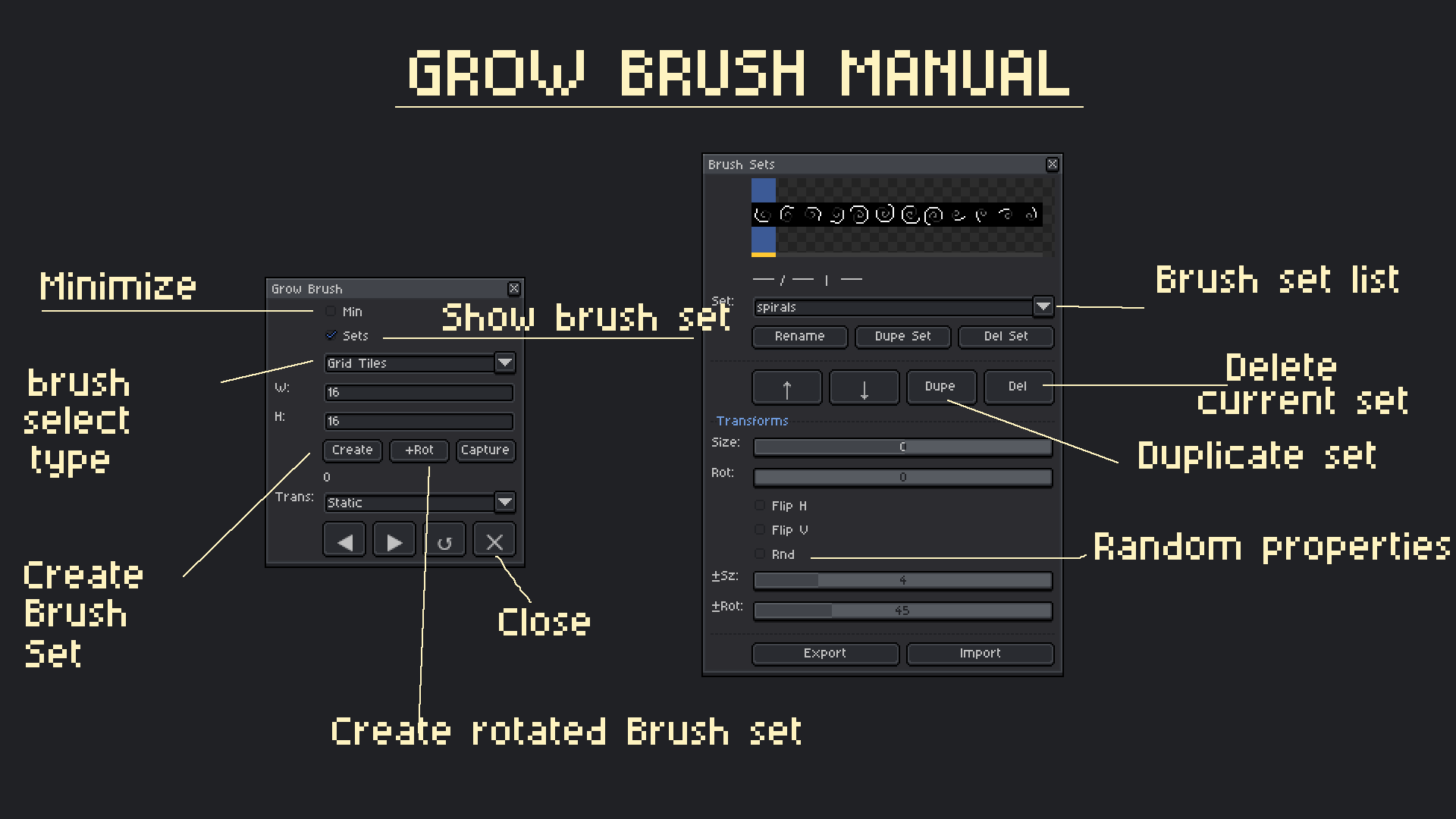
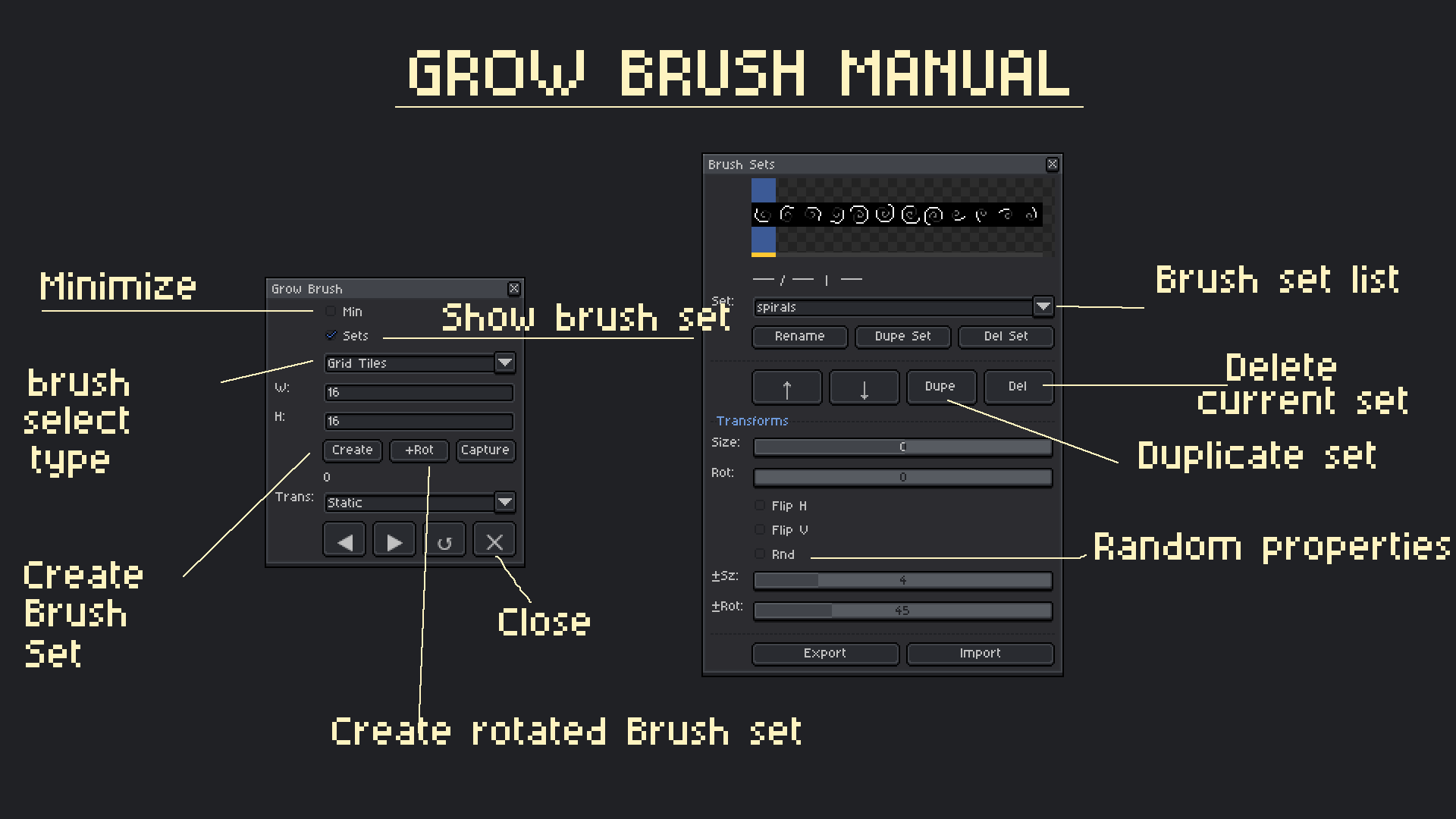
6) Included with Manual
Have a manual with all features described in the image.
Grow Brush Usage Agreement
By downloading, installing, or using the Grow Brush extension, you agree to the following terms:
- Grant of Use
- You are granted a non-exclusive, non-transferable license to use Grow Brush for personal, professional, and commercial projects.
- Restrictions
- You may NOT:
- Resell, sublicense, redistribute, share, or transfer the extension, in whole or in part, to any third party.
- Repackage or include the extension as part of another asset, script, or product.
- Modify and distribute modified versions of the extension.
- Claim ownership of the extension or any portion of its source code.
- You may NOT:
- Ownership
- All intellectual property rights in Grow Brush, including source code, design, structure, and functionality, remain the exclusive property of Kirisoft.
- Personal Modifications
- You may modify the extension for personal use only.
- Modified versions may not be shared, distributed, or sold.
- No Warranty
- This extension is provided "AS IS", without warranty of any kind.
- The creator shall not be liable for any damages, data loss, or issues resulting from its use.
- Attribution
- Attribution is appreciated but not required when sharing content created using Grow Brush.
- License Updates
- kirisoft reserves the right to revise this license for future versions.
- Updated terms apply only to new downloads or updates.
- No Refunds Allowed
- Due to the digital nature of Grow Brush and its low price of $2, all sales are final — no refunds will be issued. I recommend watching the tutorial and reviewing all features before purchasing.
Copyright © kirisoft store 2024–2026. All Rights Reserved.
Purchase
In order to download this Grow Brush you must purchase it at or above the minimum price of $1.80 USD. You will get access to the following files:
Development log
- Grow Brush v1.2 Major Bug Fix59 days ago
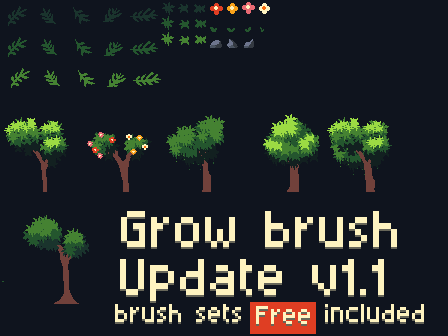
- Grow Brush v1.1 UpdateMar 25, 2026
Comments
Log in with itch.io to leave a comment.
Why is there a pattern that is not in the set? I have turned off some random settings.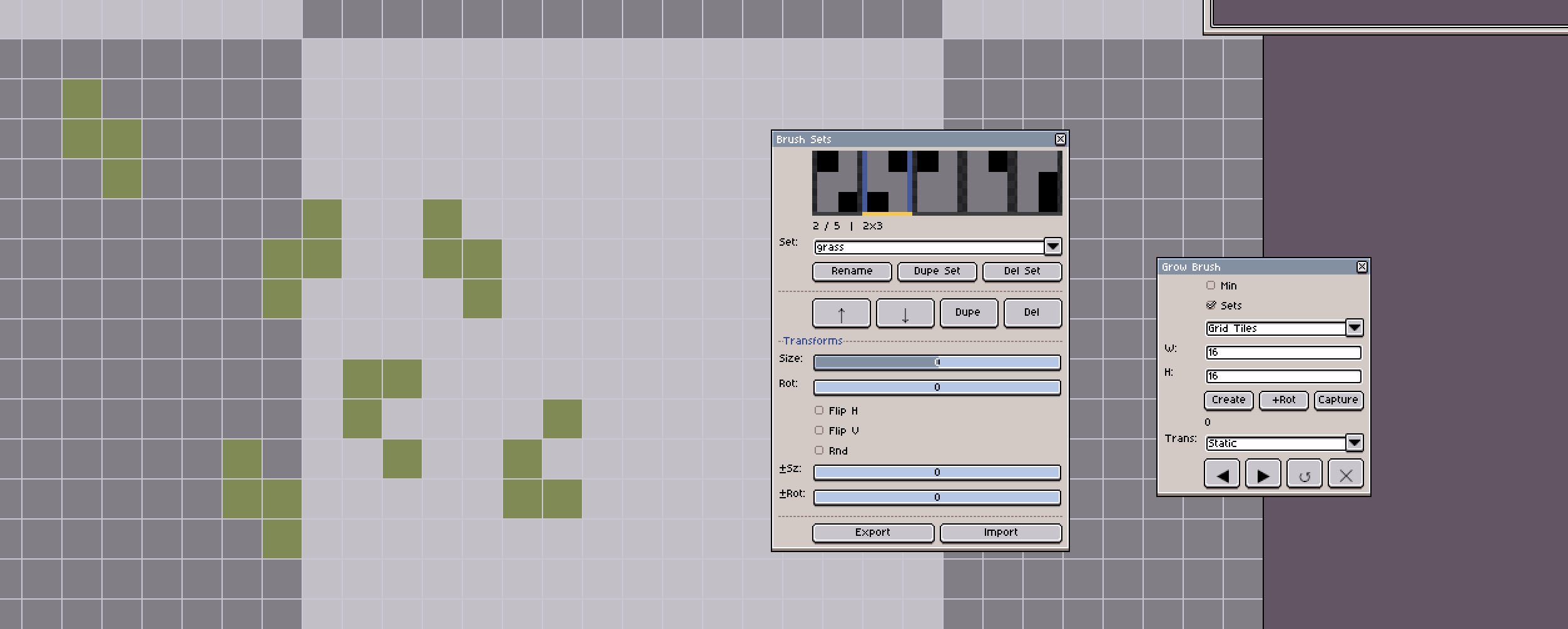
Does Grow Brush force grid alignment?
no it doesnt
Hi! For some reason the "Grow brush next" keybind doesn't work no matter what key I set it to, I tried both ']' and '\', neither work. Grow brush prev works though.
Hey make sure you checkout the video I have shown about on how u can do that !
Yep! Turned out to be a user error lol. Thanks!
Thanks you so much snap :)
please rate the extension please that will help!!
Damn this new version is so cool!! I am glad you fixed all the bugs!! Thanks for making it ! I am having a blast using this!!
Thanks you so much for your support!!!
Error parsing json, unexpected end of input when trying to add extension. Ah figured that out, but following the instructions it just doesn't seem to work, random selection isn't working, ui is bugged, the number on the min view just keeps increasing with no way to reset it and the brush isn't actually drawing what tiles i used and making up it's own thing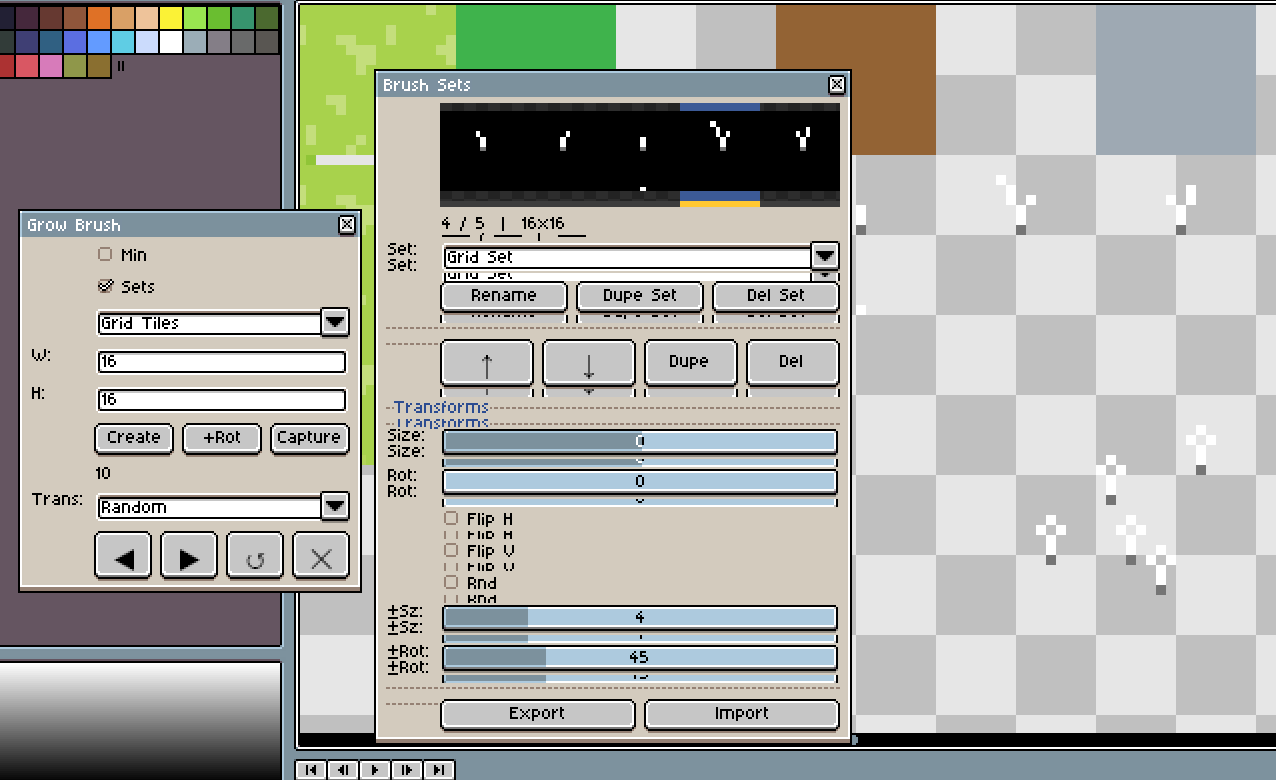
What version are u using ?
Hello
I looked up on your matter regarding the bugs in the extension,
Make sure u save ur file before using this extension, that will fix the issues of error parsing json, and random selection will automatically work when u press next brush key (which can be set through edit>preferences) on ur keyboard ,
UI is buggy may be because of the version u using the aseprite , and make sure u make the proper selection grid.
If you still having any issues you can contact me on discord.
Regards
Kiri
Thanks it's all the latest version (not beta) I assumed the randomisation was automatic, is that not the case?
you will need to select the random option and use the next brush key it will automatically pick the random brush from the brush set.
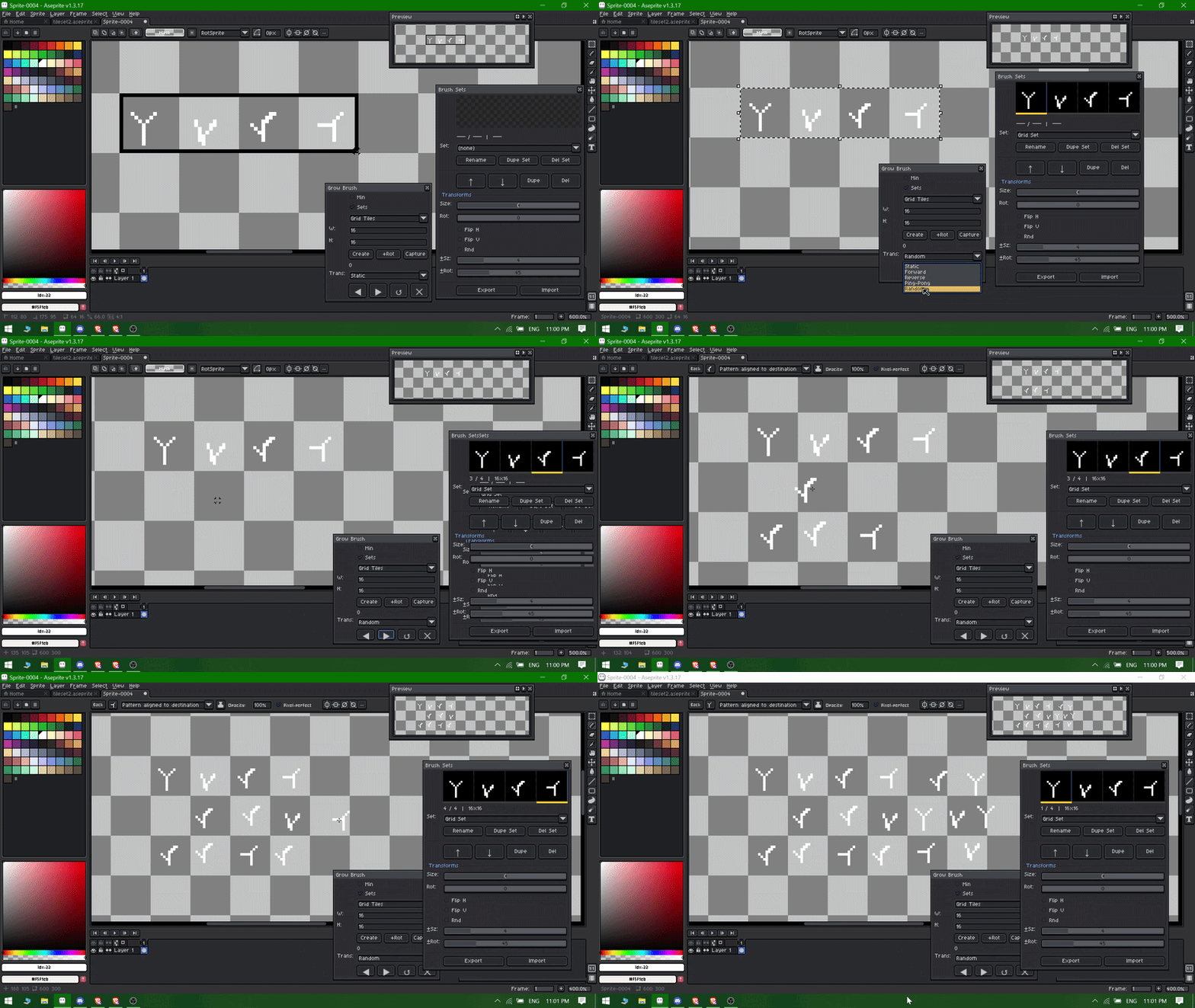
and if u press the next key again it will again pick the random brush from the current brush set.
You can check the short gif tutorial here!
Also the GUI issue i will be checking as soon as possible! I will try to recreate in my system and see how to resolve it !
Thanks if you have any issues let me know!
Thank you so much, I really liked your extension; I find it very useful. Regards.
Your Welcome ! Thanks for checking it out!
Really useful extension, it actually made working in Aseprite much faster for me. Being able to switch brushes with a hotkey and keep different brush sets organized saves a lot of time, especially when doing pixel art with many variations. The transform options like resize, flip, and rotation in one click are super convenient, and I like that you can save and import brush sets for later. Setup was easy after watching the tutorial, and once shortcuts are set it feels very natural to use.
Thanks for your feedback ! I will improve it more and try to include more brush sets as well. ☺
Omg, that's So cool! Exactly What I was searching for to create some assets myself , It's a hassle to use the default brush functionality it offers less features than your extension, I am glad I found urs its low price as well for me!
Thanks for this!! :3
Thank you so much, this comment genuinely made my day! 😊